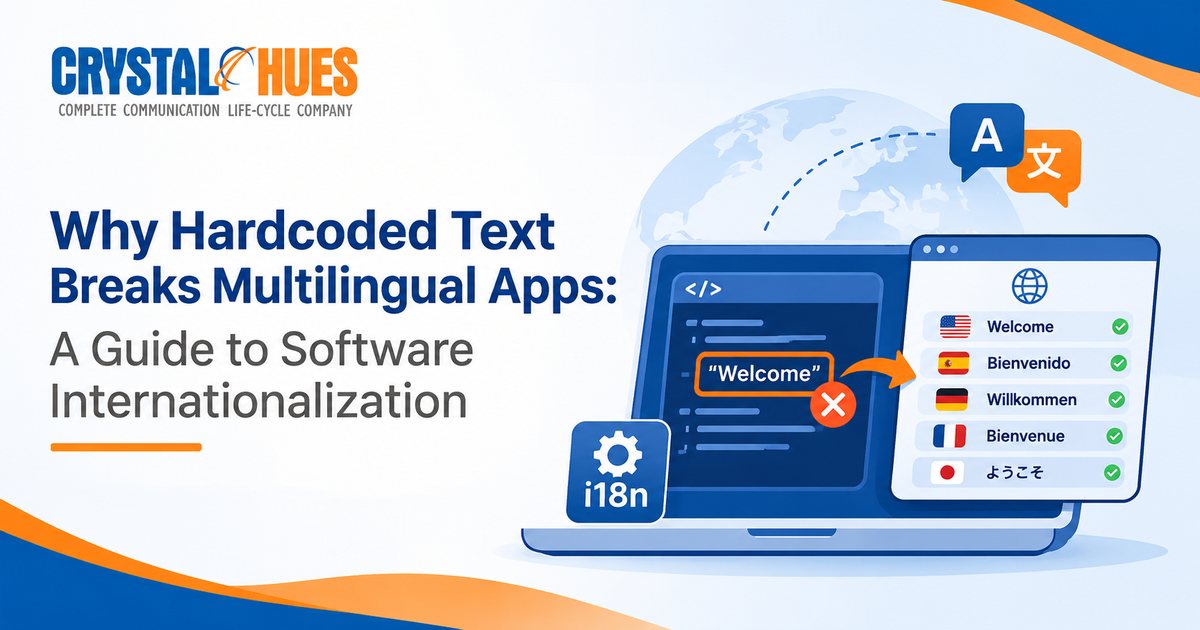
Why Hardcoded Text Breaks Multilingual Apps: A Guide to Software Internationalization
A multilingual app can display perfectly
translated words and still produce a sentence that sounds wrong. A file count
may use the wrong form. A user’s name may appear in an awkward position. A
message may follow English word order even when the selected language follows a
different grammatical structure.
These problems do not always originate in
translation. Often, they begin much earlier, when developers build interface
messages directly into the application’s code.
For product teams developing software for multiple markets, hardcoded text and poorly structured message strings can create recurring localization problems. Understanding how these issues arise makes it easier to prevent them before they reach users.
What Is Hardcoded Text in Software?
Hardcoded text is text written directly into
an application’s source code rather than managed through a system designed for
localization.
For example, a developer might write:
"You have " + count + " new messages"
Here, the application joins a fixed
opening phrase, a changing number and a fixed ending. This approach may work in
English, but it assumes that every language can use the same sentence
structure.
That assumption creates problems when the
application is translated.
A language may require the number to
appear elsewhere, use a different noun form or change the surrounding words
depending on the value. If the code fixes the order of the text fragments,
translators may have little room to produce a grammatically correct sentence.
The issue is not simply that the text is
hardcoded. It is that the application’s code controls the structure of a
sentence that should be adaptable to each language.
Why Hardcoded Strings Cause Localization Problems
1. Word order varies between languages
English commonly places the subject
before the verb and the object after it. Other languages use different
structures. Hindi, Japanese and Korean, for example, commonly place the verb
towards the end of a sentence.
A message assembled from fixed English
fragments can prevent translators from changing the order of its components.
Consider an interface message that
combines a greeting with a user's name. Depending on the language, the natural
placement of the name and the surrounding words may differ. If the application
allows only one fixed arrangement, the translated message may sound unnatural.
Keeping the message as a complete,
translatable unit gives language specialists the flexibility to adapt its
structure.
2. Plural rules are more complex than singular and plural
A common development shortcut is to
display one form when a count equals one and another form for every other
number.
That works for a simple English example:
●
1 file
●
2 files
However, plural rules differ across
languages. The Unicode Common Locale Data Repository (CLDR) defines plural
categories including zero, one, two, few, many and
other. Not every language uses every category, and the rules for selecting a
category vary by language.
For example:
●
English generally distinguishes one from other.
●
Japanese generally uses the same noun form regardless of the number.
●
Russian uses different forms for several number patterns.
●
Arabic
has rules that use all six standard cardinal plural categories.
A universal count === 1 condition cannot represent these differences reliably.
Applications should use locale-aware
plural rules rather than assuming that every language follows English
conventions.
3. Translators may receive incomplete context
When interface text is split into small
fragments, translators may see individual words or phrases instead of the
complete message.
A fragment such as “You have” may seem
straightforward on its own. But its best translation depends on what follows,
where the message appears and whether it refers to a person, an item or an
action.
Without that context, translators must
make assumptions. Those assumptions can lead to inconsistent terminology,
unnatural grammar or repeated review cycles.
A localization-ready workflow should
provide complete messages, clear context and relevant notes about how each
string is used in the interface.
4. Personalization can introduce grammatical errors
Dynamic content makes localization more
complicated.
Applications routinely insert names,
product titles, dates, quantities and other values into interface messages. In
some languages, the surrounding sentence may need to change depending on the
value being inserted.
For example, a message addressed to a
user may require a different grammatical construction depending on how the
language handles names or forms of address.
A placeholder does not automatically
solve this problem. Developers and language specialists must decide whether the
variable can safely appear in the same position across languages or whether
each locale needs a different message structure.
Why Visual Testing Cannot Catch Every Localization Error
Visual testing is essential for
multilingual applications. It helps teams identify text overflow, clipped
labels, overlapping elements and layout problems caused by longer translations.
However, a message can fit perfectly
on screen and still be grammatically incorrect.
Some localization defects that visual
checks alone may miss include:
●
Incorrect plural forms
●
Unnatural word order
●
Incorrect grammatical endings
●
Inconsistent formal and informal
address
●
Missing placeholder values
●
Punctuation or spacing issues in
particular writing systems
A screenshot can show whether the
interface looks correct. Linguistic review is needed to determine whether the
message reads naturally and conveys the intended meaning.
Effective localization testing combines
functional checks, visual validation and review by people who understand the
target language.
How ICU Message Format Helps Solve the Problem
One way to avoid rigid sentence
structures is to use a message format that supports placeholders and
language-specific rules.
The International Components for Unicode
(ICU) MessageFormat is one established approach. It allows a complete message
to contain variables and conditional forms, including plural-sensitive
variants.
For example, a message can be structured
like this:
{count, plural,
one
{You have # file}
other {You have # files}
}
Instead of assembling a sentence from
fixed fragments, the application stores a complete message with defined
alternatives. The message-processing system selects the appropriate form based
on the locale and the supplied value.
This example illustrates the basic
principle; production implementations should follow the syntax and capabilities
of the ICU MessageFormat version and framework being used.
The approach offers three important
benefits:
●
Developers supply values and implement the message-handling logic.
●
Translators adapt the complete message to the grammar and conventions of each
language.
●
Locale-aware rules determine which plural form or conditional variant to display.
The same principle applies to more
complex messages involving user names, dates, quantities and other dynamic
values. The goal is to give each language control over the sentence rather than
forcing it to reproduce English structure.
Best Practices for Building Localization-Ready Applications
An internationalization framework can
help manage translations, placeholders and locale-specific formatting. The
right implementation depends on the application’s technology stack, but several
practices apply broadly.
Keep complete messages in localization resources
Store interface messages in translation
catalogs or resource files rather than scattering user-facing text throughout
the code.
Each message should be understandable as
a complete unit, with placeholders for genuinely variable content.
Use locale-aware pluralization and formatting
Avoid custom rules that assume every
language follows English conventions.
Use appropriate internationalization
libraries for plural selection, number formatting, dates, times and currencies.
These conventions vary by locale and should not be implemented through a
collection of ad hoc conditions.
Give translators context
Provide descriptions of where a message
appears, what it refers to and which values may be inserted into it.
Screenshots, character-limit guidance and
notes about tone or audience can help translators make better decisions.
Design for text expansion and different writing directions
Translated text may be longer or shorter
than the source. Some languages also use right-to-left writing directions.
Flexible layouts, appropriate text
alignment and support for bidirectional content help prevent visual defects
when additional languages are introduced.
Test language quality as well as functionality
Include checks for missing translations,
unresolved placeholders and incorrect message selection. Combine automated
tests with visual inspection and linguistic review.
Testing should cover realistic values,
including numbers that trigger different plural forms, long names, empty values
and messages displayed in their actual interface context.
Who Is Responsible for Localization Quality?
Preventing localization defects requires
coordination across product development, design, content and language teams.
●
Developers build flexible message structures, use named placeholders and rely on
locale-aware rules.
●
Designers create layouts that accommodate text expansion and different writing
directions.
●
Content writers produce clear source text and provide context for interface messages.
●
QA teams test functionality, layout and language-related edge cases.
●
Language specialists review complete messages in context to ensure grammatical accuracy,
natural phrasing and consistency.
When these responsibilities are addressed
early, teams can reduce avoidable rework and make additional languages easier
to support.
Frequently Asked Questions
What is a hardcoded string?
A hardcoded string is text written
directly into application code rather than managed through a localization
resource or translation system. It can make adapting interface text to
different languages more difficult.
Why are hardcoded strings a problem for translation?
Hardcoded strings can tie a message to a
fixed sentence structure, limit word-order changes and make it difficult to
apply language-specific grammar and plural rules. Splitting messages into
fragments can also deprive translators of context.
What is the difference between internationalization and
localization?
Internationalization prepares software to
support multiple languages, writing systems, regional formats and other
locale-specific requirements. Localization adapts the product’s content and
user experience for a particular language or market.
What is ICU MessageFormat used for?
ICU MessageFormat supports messages
containing variables and conditional forms, including plural-sensitive
alternatives. It helps applications display messages that follow the
grammatical and formatting conventions of the selected locale.
How can teams test multilingual applications effectively?
Teams should combine automated functional
checks, visual testing and linguistic review. They should test complete
messages, plural forms, dynamic values, date and number formats, text expansion
and writing-direction requirements.
Build Multilingual Experiences That Work Naturally
A sentence in a software interface may
occupy only a small part of the screen, but its structure affects how naturally
the product communicates with users.
When messages are built around fixed English fragments, every additional language can introduce avoidable constraints. Internationalization-ready architecture gives translators the flexibility to adapt messages, while locale-aware rules and contextual testing help ensure the final experience works as intended.