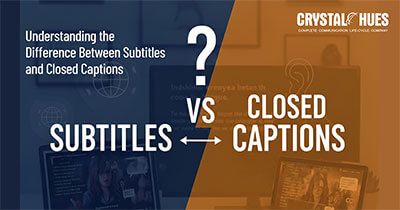
Understanding the Difference Between Subtitles and Closed Captions
What Are Subtitles
Subtitles are the text-based representation of the spoken dialogue in a video. We use them in the following scenarios:
- When we can hear spoken dialogue, but don’t know the language. (Example: An Indian watching a Korean tv series.
- When we have a hard time with accents. Example: Foreign or unfamiliar accents that may be too fast or heavy.
- When the audio is too difficult to catch. (Example: the environment is too noisy, speakers too far apart, etc.).
- For the hearing impaired.
However, useful as it is, there are certain limitations as well.
- Subtitles do not capture any of the non-speech audio information about the video, such as background sounds.
- Subtitles don’t indicate speakers or change in speakers. (unless there is an obvious transition through context).
- They don’t include sound effects, an important feature for deaf people.
Subtitles are merely a visualization of spoken words.
So, how are these gaps closed?
What Are Closed Captions (CC)
Closed captions are intended primarily for individuals who are deaf or hard of hearing. Further, it’s for anyone who requires or prefers text that depicts not only what is being spoken, but all audio cues that are meaningful.
Closed captions include dialogue and non-verbal sounds (example: door slams, music playing, speaker identification, background sounds) that are meaningful in understanding the content.
"Closed" means that you have the option to turn it on or off.
What is the Difference Between Subtitles and Closed Captions?
Here is a detailed comparative table to highlight the differences:
Feature / Aspect | Subtitles | Closed Captions (CC) |
Meaning | Subtitles are captions displayed on a screen (usually at the bottom), which transcribe speech (dialogue and narration). | Closed captions are like subtitles but can be turned on or off per the viewer’s choice. |
Purpose / Use Case | For viewers who can hear but don’t understand the spoken language fully, or when audio quality is poor; foreign language translation. | For viewers who are deaf or hard of hearing; to provide full access to all audible content and cues. |
Content | Spoken dialogue and narration only (usually). No or minimal non-speech sounds: background noises, speaker changes, etc. | Dialogue plus non-speech sounds (sound effects, ambient noise, speaker IDs, etc.). |
Language | Same language or translated into a different language. | Usually in the same language as the audio, since the focus is accessibility. |
Switchability | Usually on/off depending on the platform. However, in some cases, subtitles are burned in (open subtitles). | Closed captions can be toggled(on/off), separate file or feature. |
Legal/Accessibility Requirement | Less often legally required; more of a convenience or for international audience reach. | Often legally required in many jurisdictions for broadcast, educational content, public content to conform to disability / access laws. |
Style / Detail | Simpler, may omit speaker names, smaller or less elaborate cues. | More detailed; includes speaker labels, sound descriptions, possibly music cues, etc. |
Viewer benefit | Helps comprehension of dialog; reach wider audience; cross-language appeal. | Ensures content is accessible to hearing-impaired; improves usability when sound can’t be heard; required for compliance in many cases. |
What are the Advantages of Subtitles?
1) Wider Audience Potential
- If you’re a non-native speaker, using subtitles helps you to understand the material and access global content.
- Better Comprehension in noisy surroundings (i.e. loud environments, poor audio quality, accents, etc.)
When conditions are difficult, subtitles help clarify the dialogue or audio content.
2) Language Learning Aid
You will be able to pick up on words you’re not familiar with, learn the language or spell new words.
3) Higher Engagement
If you’re watching in public, say on a bus or an airport, and you don’t have earphones/headphones, you can read the subtitles to pick up on the dialogues.
4) SEO / Discoverability
Transcripts/subtitles may assist search engines in indexing your content and help users find your content easily.
What are the Advantages of Closed Captions?
1) Accessibility for Deaf or Hard-of-Hearing Audiences
This enables individuals who are hard-of-hearing or deaf to access information in either spoken or non-spoken audio content.
2) Inclusion and Legal Compliance
There are laws and regulations in some countries that require captions for public content, databases, event broadcasts, educational content, pretend governmental content, etc.
3) Added Clarity Beyond Just Dialogue
In addition to speech, captions provide non-speech audio (i.e. music audio cues, sound effects, ambient sound) of context and mood. It gives you the choice of how to process and interpret a story.
4) Use When Audio Doesn't Work or Is Unreliable
When the viewer can't hear audio for any reason (muted, bandwidth, etc.), captions and transcripts brings them full access to content.
5) Better Understanding of Who is Talking and When
Captions can provide speaker IDs; if multiple people are talking, if a speaker off-screen is discussing (on or to camera) etc.
Closed vs Open Captions
Closed Captions
Captions are available through a separate "track" or file (like SRT, VTT, etc.), and you can enable or disable them.
Open Captions
Sometimes referred to as "burned in" captions. The captions are permanently attached to the video. You cannot disable or turn it off, as they are "hard-coded" into the video frames.
It’s a good option in situations where you anticipate captions will always be desired (Example: Shared video displays, social media). However, there is no flexibility in case any user doesn’t want captions.
Here are guidelines to help you decide whether to use subtitles, closed captions, or open captions (or some combination):
Situation | Subtitles | Closed Captions (CC) | Open Captions |
People with hearing impairments | ❌ Not the best option since it doesn’t include |
✅ | ✅ If you want them visible always |
Consuming content in a foreign language |
✅ Subtitles (translated) | ❌ Works only if it’s available in a language your audience understands. |
❌ |
If the platform supports toggling text on/off (YouTube, streaming services) |
✅ |
✅ |
❌ Open captions are less flexible here |
Posting on social media where auto-play is often muted, or viewers may not have sound |
✅Subtitles help comprehension |
✅CC works too, especially for inclusion | ❌Open captions ensure everyone sees them, but may sometimes clutter visuals |
Legal / Compliance Requirements |
May not satisfy accessibility laws |
It is likely required to meet accessibility standards. |
Usually a best practice, as it provides users with the option depending on their preference, unless specifically required.
|
In a broad sense, while accessibility is a concern (and almost always should be), closed captions are typically a safer and more inclusive choice. However, if your content is primarily entertainment or foreign films or tv series, and your audience merely needs a language translation, subtitles may be good enough.
Frequently Asked Questions (FAQs)
What are Subtitles?
Subtitles are on-screen text that displays the spoken dialogue in a video. They help viewers who can hear the audio but don't understand the language, struggle with accents, or are watching in a noisy environment where the audio is hard to follow.
What are closed captions and how are they different from subtitles?
Closed captions include everything subtitles do, plus non-speech audio cues like sound effects, background noises, and speaker identification. While subtitles focus on dialogue, closed captions are designed to give deaf or hard-of-hearing viewers full access to all meaningful audio in a video.
What does "closed" mean in closed captions?
"Closed" means the captions can be toggled on or off by the viewer. This is different from "open" captions, which are permanently burned into the video and cannot be disabled.
When should you use closed captions instead of subtitles?
Use closed captions when your content needs to be fully accessible to deaf or hard-of-hearing audiences, when legal compliance is required, or when non-speech audio like music and sound effects are important to understanding the content. For general foreign language viewing, subtitles are usually sufficient.
Are closed captions legally required?
Public broadcasts, educational content, and government content are often legally required to include closed captions to meet accessibility and disability compliance standards. Subtitles alone typically do not satisfy these legal requirements.
Can subtitles and closed captions improve content performance?
Yes. Subtitles and captions boost engagement by making content watchable without sound — especially on social media where videos autoplay while muted. They also improve SEO by helping search engines index your content, making it easier for audiences to discover it.
You have reached the end. Thank you for reading our blog. We hope you found it informative and useful. For more such content on to help you stay informed on AI and our language services, you can check out our blog page here.
If you have any feedback or suggestions on what you’d like for us to cover or how we can make our blogs more useful, you can reach us through our LinkedIn inbox or email us at digital@crystalhues.in.